Module Sync
Module Sync
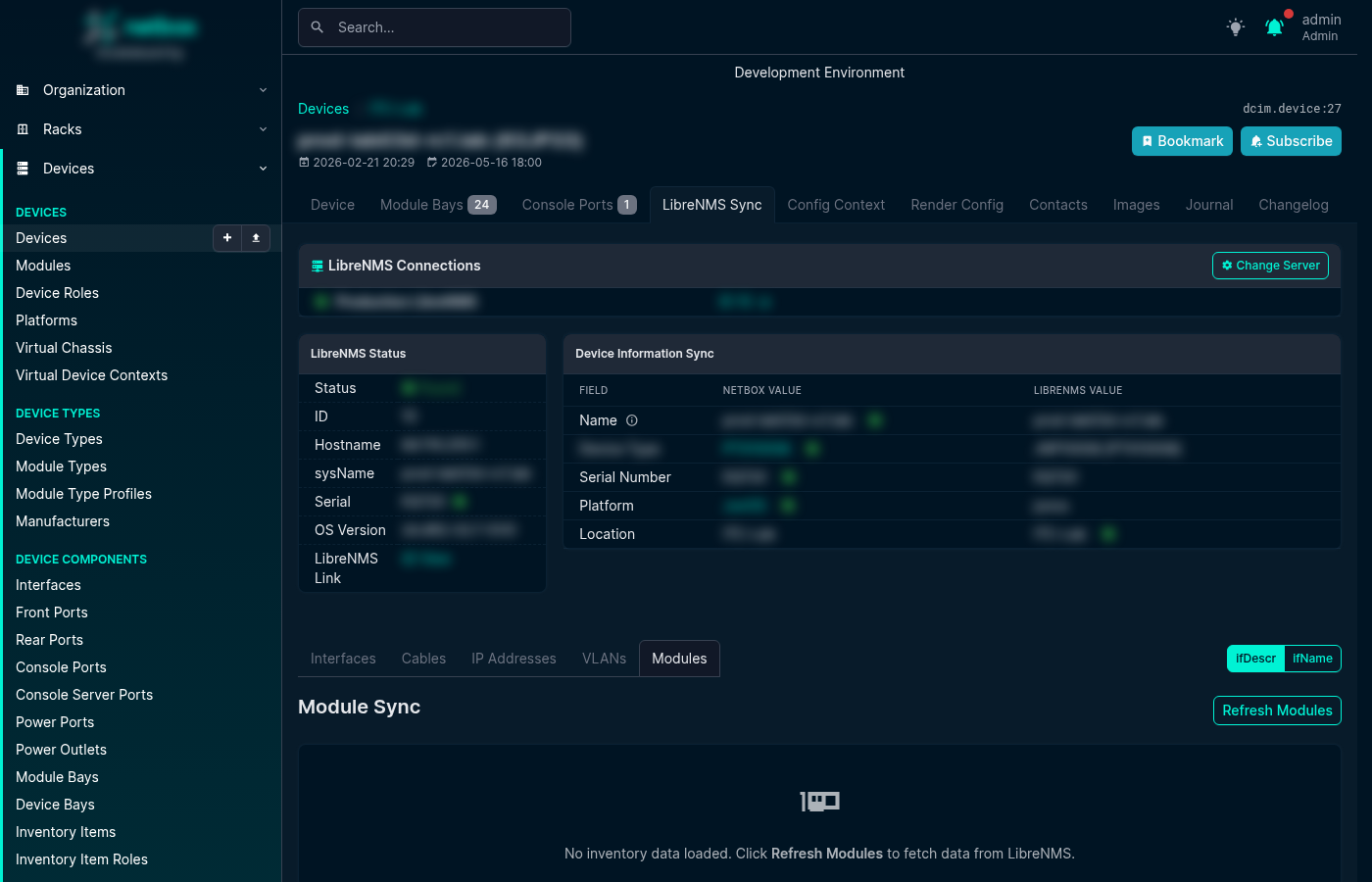
The Module Sync tab lets you reconcile LibreNMS physical inventory (ENTITY-MIB, plus a transceiver API source for vendors that don't expose SFPs via ENTITY-MIB) with the installed modules recorded in NetBox. It appears as a Modules tab on the LibreNMS Sync page for every Device and Virtual Chassis.
How It Works
When you open the Modules tab, the plugin fetches the ENTITY-MIB inventory tree from LibreNMS, merges in transceiver data from the LibreNMS transceiver API (used for vendors that don't expose SFPs via ENTITY-MIB), and compares each line-card, transceiver, fan, power supply, and other physical component against the NetBox module bays and installed modules for that device.
Each row in the table shows:
- LibreNMS Name — the
entPhysicalNamevalue reported by the device - LibreNMS Model — the
entPhysicalModelNamevalue (used for type matching) - Serial —
entPhysicalSerialNum - Status — the result of matching (see below)
- NetBox Bay — the module bay the component was matched to
- NetBox Module — the installed module in that bay (if any)
- Actions — buttons to install, update, or map the component
Match Statuses
| Status | Meaning |
|---|---|
| Matched | LibreNMS component matches an installed NetBox module (same bay, same or mapped type) |
| No Bay | A bay mapping was found but no matching module bay exists on this device |
| No Type | The bay was found but no ModuleTypeMapping exists for the LibreNMS model |
| Name Conflict | The resolved bay name conflicts with an existing module in another bay |
| Not Installed | A matching bay exists but no module is installed yet |
Taking Action
- Install — installs a new module into the matched bay using the mapped ModuleType
- Update — updates the serial number or module type of an existing installed module
- Add Mapping — opens the ModuleBayMapping or ModuleTypeMapping creation modal directly from the row, so you can resolve "No Bay" or "No Type" statuses without leaving the page
- Add Bay Template — if the device type is missing a module bay template, this button creates it inline
Module Interfaces
When a module type defines interface templates, installing the module also reconciles the device's interfaces with those templates. The plugin works out the names the module's interfaces should have (instantiating each interface template against the device, and rewriting names for Virtual Chassis members where needed), then adopts any existing standalone interfaces on the device that match those names into the newly installed module. This keeps interfaces that were created by a previous interface sync from being duplicated, and links them to the module that physically provides them.
For vendors whose naming conventions cannot be derived from templates alone, the predicted names can be adjusted by another plugin through a signal hook — see Extension Points for details.
Carrier Modules
Some chassis (e.g. Nokia 7750 SR-s) report child components (CPMs, MDAs) without the intermediate carrier/holder module that must first be installed in NetBox before the children become visible. When a CarrierAutoInstallRule matches, an Install Carrier button appears — clicking it installs the carrier module into the appropriate empty bay, after which the children can be synced normally.
Virtual Chassis Support
For Virtual Chassis devices, the Modules tab automatically distributes inventory rows across the correct VC member based on the component's position in the ENTITY-MIB tree. Each row shows the member hostname to make it clear which physical switch a component belongs to.
Screenshot
Related Configuration
Before using Module Sync you will typically need to configure one or more of the following mapping types (see Mapping Rules):
- ModuleTypeMapping — maps LibreNMS model strings (e.g.
SFP-1G-T) to NetBox ModuleType objects - ModuleBayMapping — maps LibreNMS bay names (e.g.
Power Supply 1) to NetBox bay names (e.g.PSU1), with optional regex and manufacturer scoping - NormalizationRule — strips vendor suffixes from model strings before matching (e.g.
3HE16474AARA01→3HE16474AA) - InventoryIgnoreRule — skips or makes transparent phantom EEPROM/IDPROM entities that some vendors (Cisco IOS-XR) report
- CarrierAutoInstallRule — suggests installing carrier modules for vendors that omit them from SNMP reporting