Mapping Rules
Mapping Rules
Mapping rules are the configuration layer that connects LibreNMS identifiers to NetBox objects. Without them the plugin relies on exact-string matching; with them you can cover vendor naming variations, OS string aliases, model-number differences, and bay naming schemes across your entire fleet.
All mapping types live under Plugins > LibreNMS > Mappings in the NetBox menu and support individual creation, editing, deletion, and bulk YAML import/export.
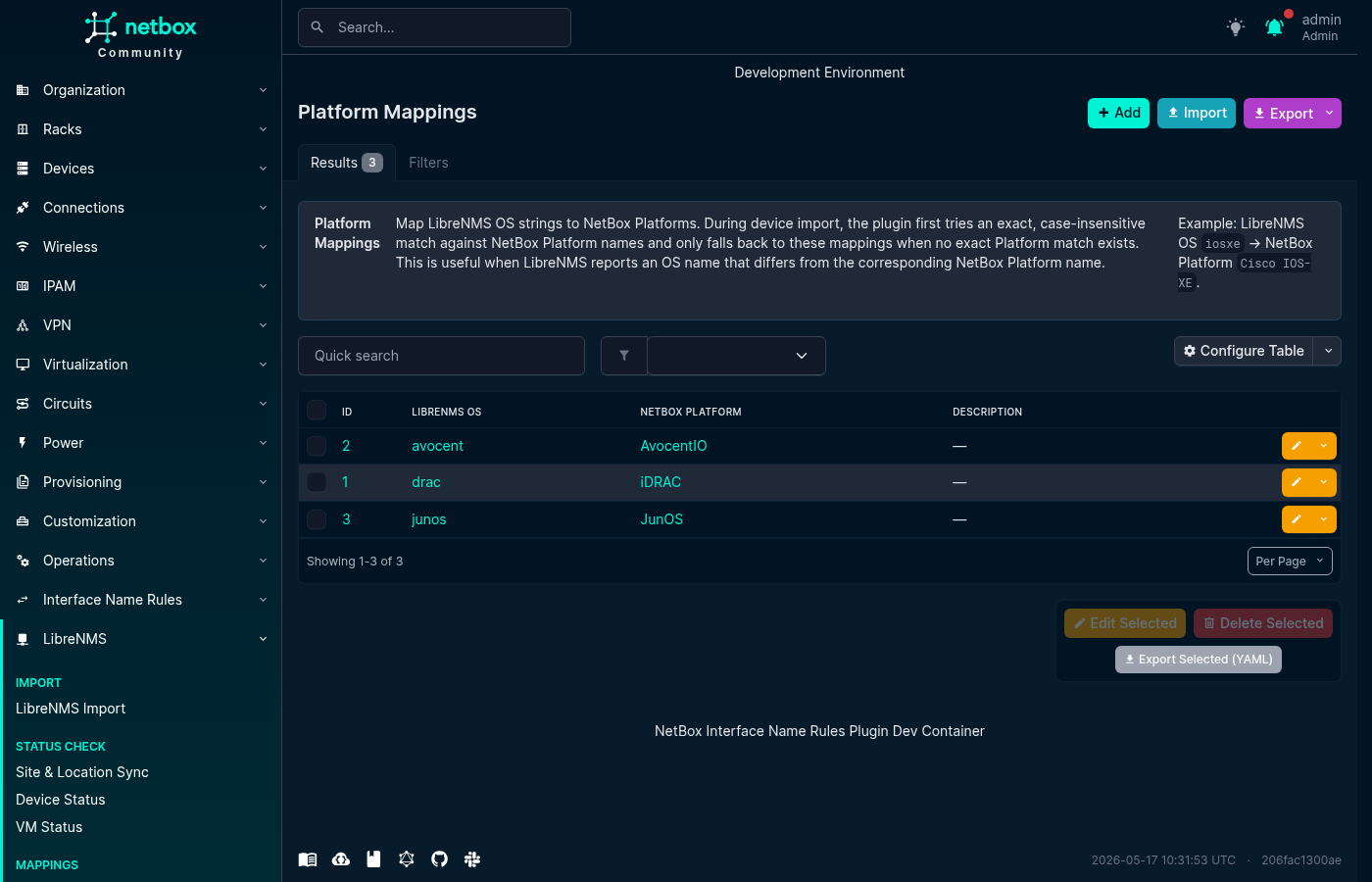
Platform Mappings
Maps a LibreNMS OS string (e.g. junos, eos, ios) to a NetBox Platform object.
Used by: - Device Field Sync — platform sync on the device LibreNMS-Sync page - Device Import — platform auto-match when importing devices from LibreNMS
Matching is case-insensitive. The plugin first tries an exact Platform.name match against existing NetBox Platforms; if none (or ambiguous), it falls back to PlatformMapping. If neither produces a unique result, the field is left empty.
YAML format:
- librenms_os: junos
  netbox_platform: JunOS
  description: "Juniper JunOS"
Screenshot:
Device Type Mappings
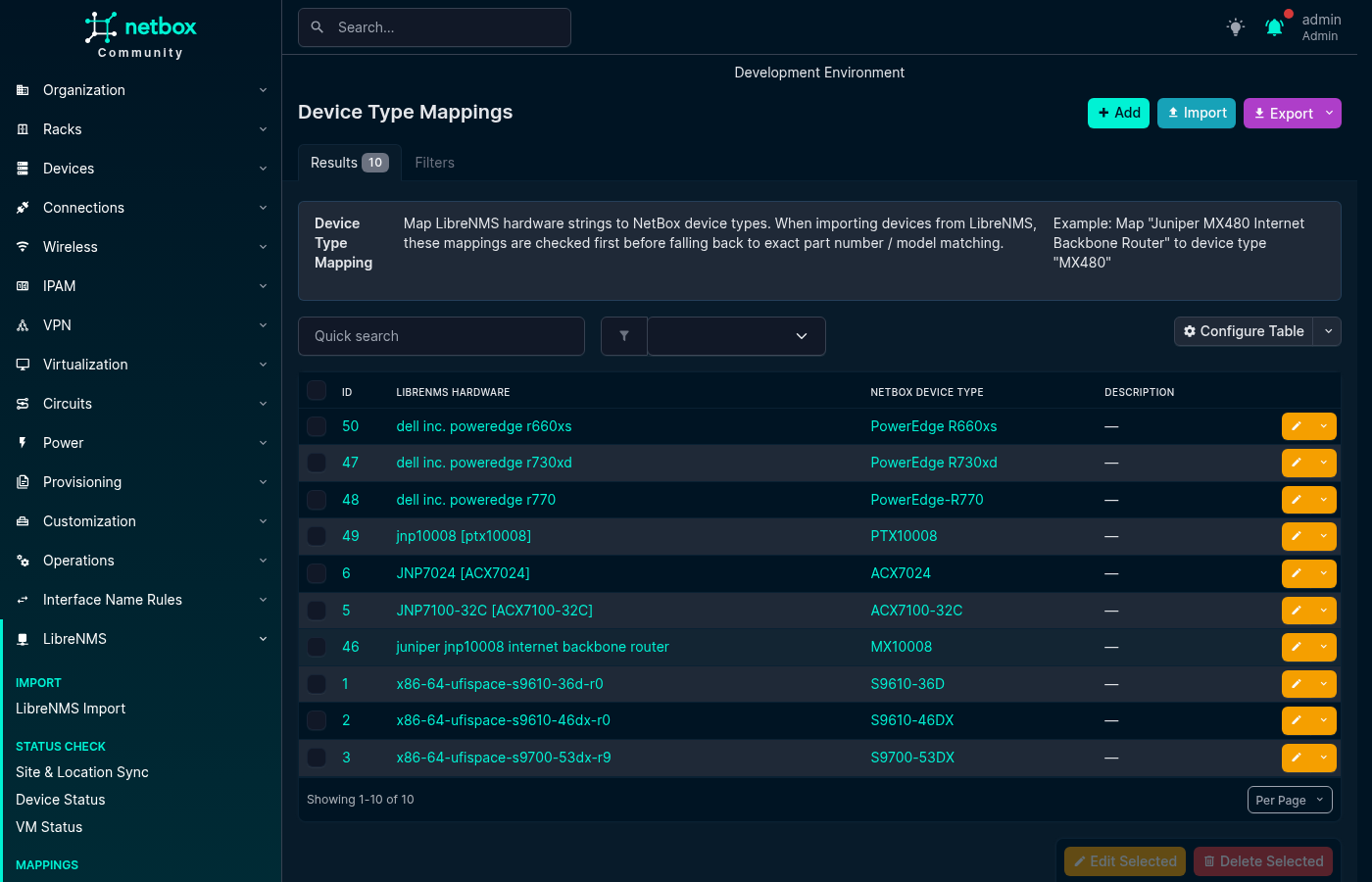
Maps a LibreNMS hardware string (e.g. Juniper MX480 Internet Backbone Router) to a NetBox DeviceType object.
Used by: - Device Import — device type auto-match when importing
Matching is case-insensitive and exact: the LibreNMS hardware string must equal the DeviceTypeMapping's librenms_hardware value (or, if no mapping matches, the DeviceType's part_number or model). The plugin does not perform partial or containment matching.
YAML format:
- librenms_hardware: "Juniper MX480 Internet Backbone Router"
  netbox_device_type: MX480
  description: "Juniper MX480"
Screenshot:
Module Type Mappings
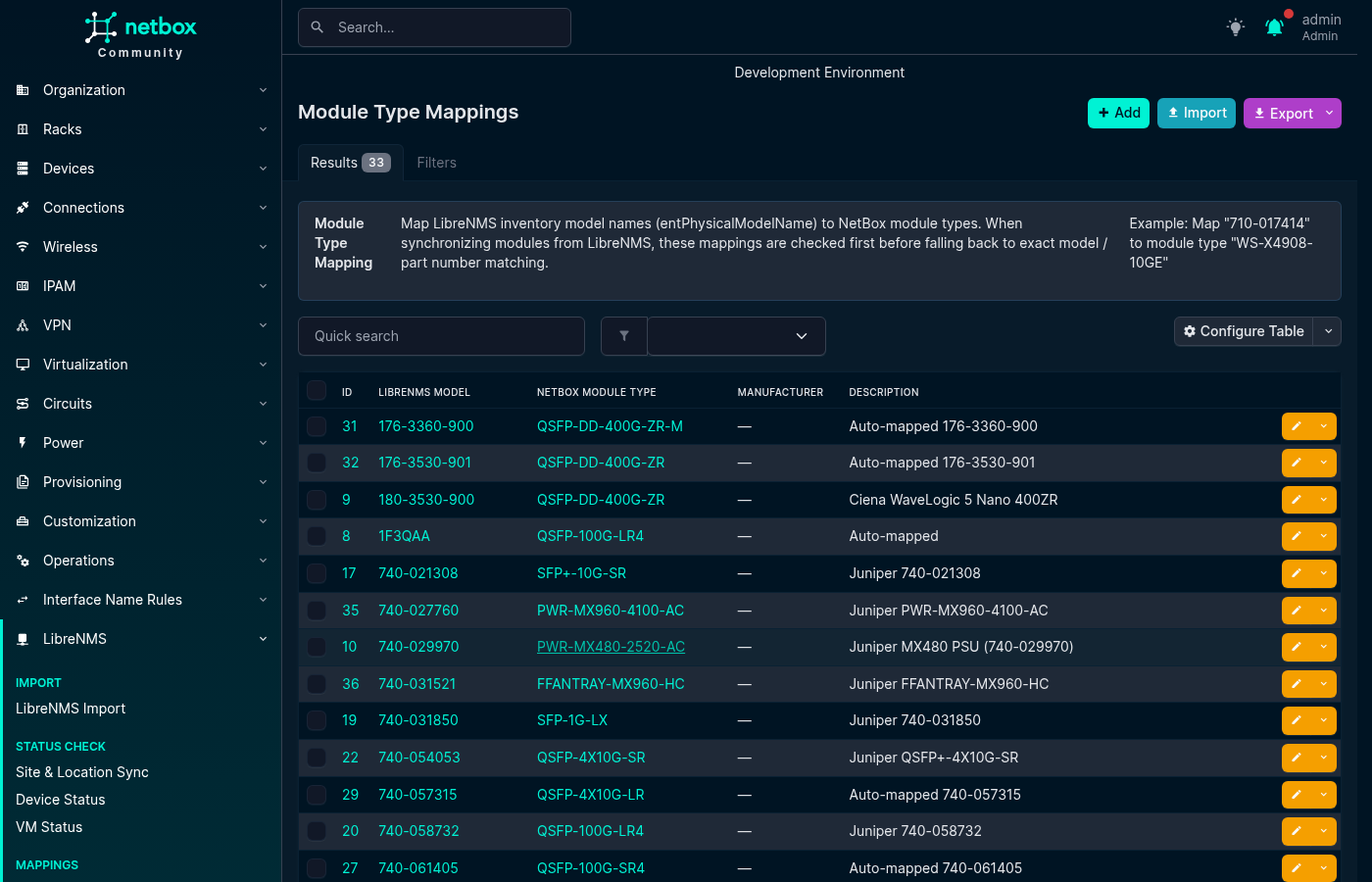
Maps a LibreNMS entPhysicalModelName string (e.g. SFP-1G-T, 3HE16474AA) to a NetBox ModuleType object.
Used by: - Module Sync — determines which NetBox ModuleType to install or match
Optionally scoped to a Manufacturer: when both a manufacturer-scoped and a global mapping exist for the same model string, the manufacturer-scoped row wins for devices from that vendor.
YAML format:
- librenms_model: SFP-1G-T
  manufacturer: ""
  netbox_module_type: SFP-1G-T
  description: "1G copper SFP"

- librenms_model: 3HE16474AA
  manufacturer: Nokia
  netbox_module_type: "3HE16474AA"
  description: "Nokia CPM"
Screenshot:
Module Bay Mappings
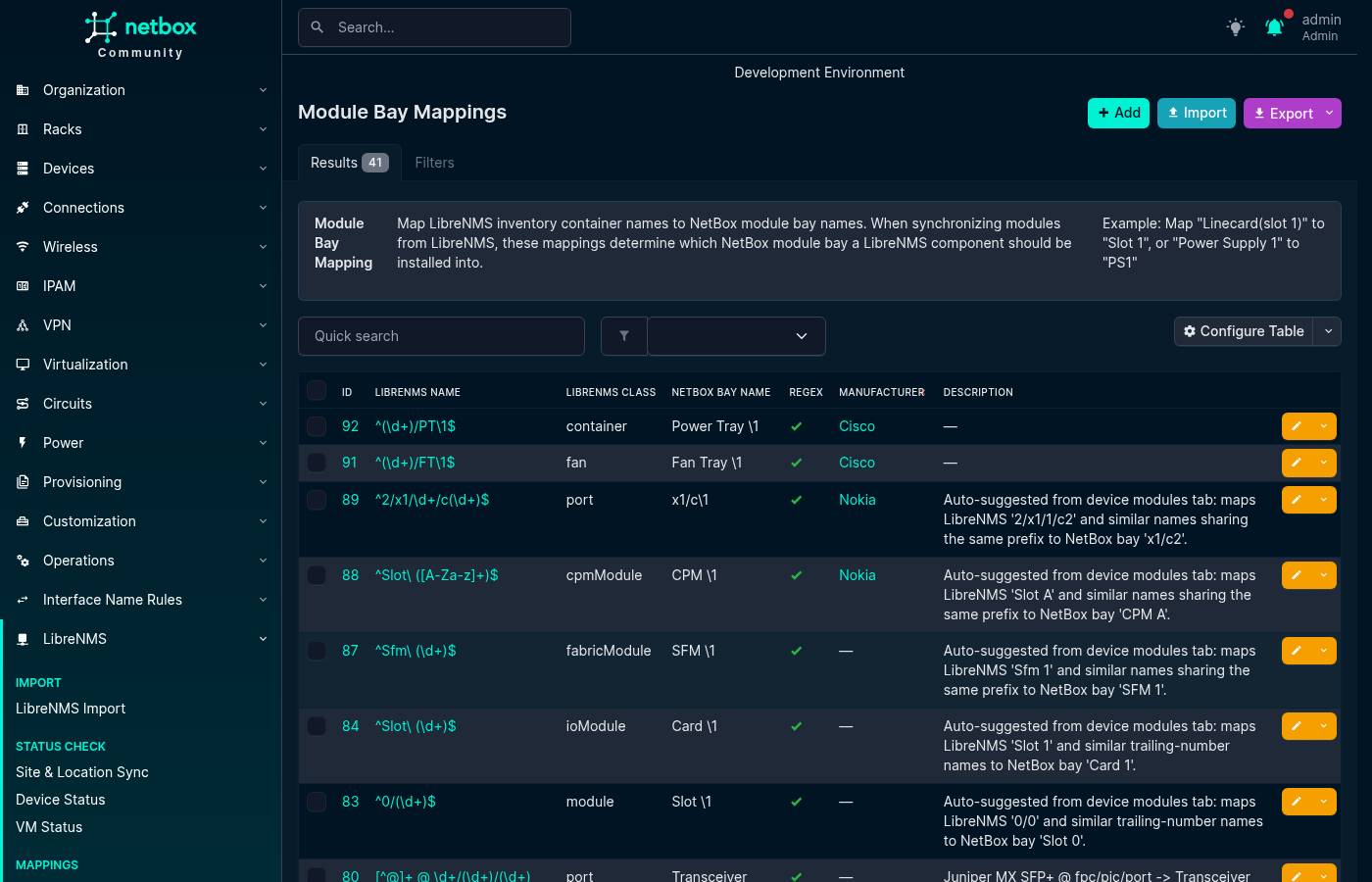
Maps a LibreNMS entPhysicalName string (e.g. Power Supply 1) to a NetBox module bay name (e.g. PSU1).
Used by: - Module Sync — resolves which NetBox module bay a LibreNMS inventory row corresponds to
Supports:
- Exact match — simple string substitution
- Regex match — librenms_name is a Python regex; netbox_bay_name can use backreferences (\1, \2, …)
- Class filter — optional librenms_class field (e.g. powerSupply, fan) to restrict the mapping to items of that ENTITY-MIB class
- Manufacturer scoping — vendor-scoped mapping wins over a global one when both match
YAML format:
- librenms_name: "Power Supply 1"
  librenms_class: powerSupply
  netbox_bay_name: PSU1
  is_regex: false
  manufacturer: ""
  description: ""

- librenms_name: "^FPC(\\d+)$"
  librenms_class: module
  netbox_bay_name: "FPC\\1"
  is_regex: true
  manufacturer: Juniper
  description: "FPC slot regex"
Screenshot:
Normalization Rules
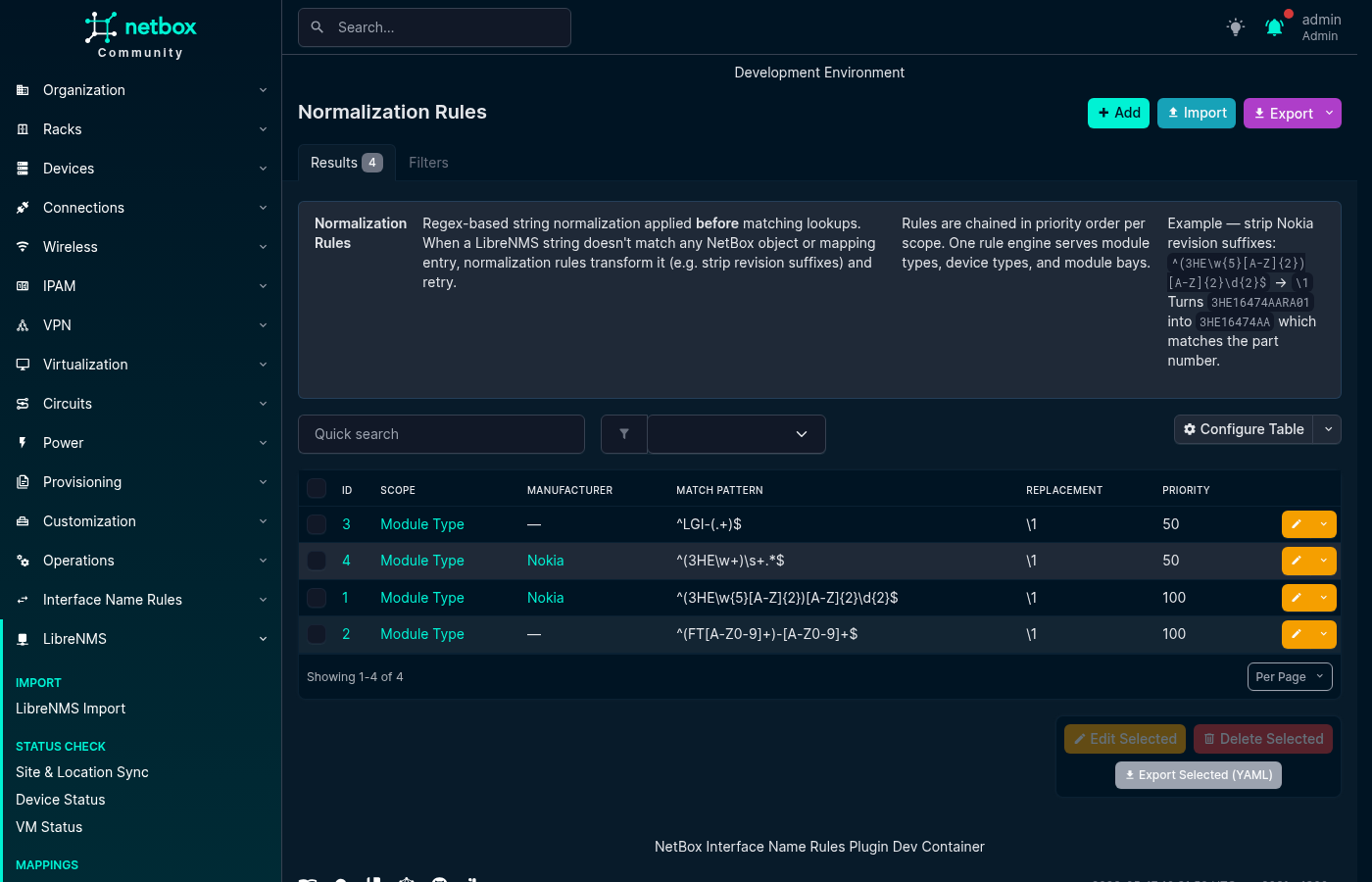
Regex-based string transformations applied before ModuleTypeMapping or ModuleBayMapping lookups. Rules are chained in priority order (lower number = runs first); each rule transforms the output of the previous.
Scopes:
- module_type — normalizes entPhysicalModelName before ModuleTypeMapping lookup
- device_type — normalizes LibreNMS hardware string before DeviceTypeMapping lookup
- module_bay — normalizes entPhysicalName before ModuleBayMapping lookup
Useful for stripping vendor revision suffixes so a single ModuleTypeMapping entry covers all hardware revisions.
Example: strip Nokia revision suffixes
scope:         module_type
manufacturer:  Nokia
match_pattern: ^(3HE\w{5}[A-Z]{2})[A-Z]{2}\d{2}$
replacement:   \1
Result: 3HE16474AARA01 -> 3HE16474AA
YAML format:
- scope: module_type
  manufacturer: Nokia
  match_pattern: "^(3HE\\w{5}[A-Z]{2})[A-Z]{2}\\d{2}$"
  replacement: "\\1"
  priority: 10
  description: "Strip Nokia revision suffix"
Screenshot:
Inventory Ignore Rules
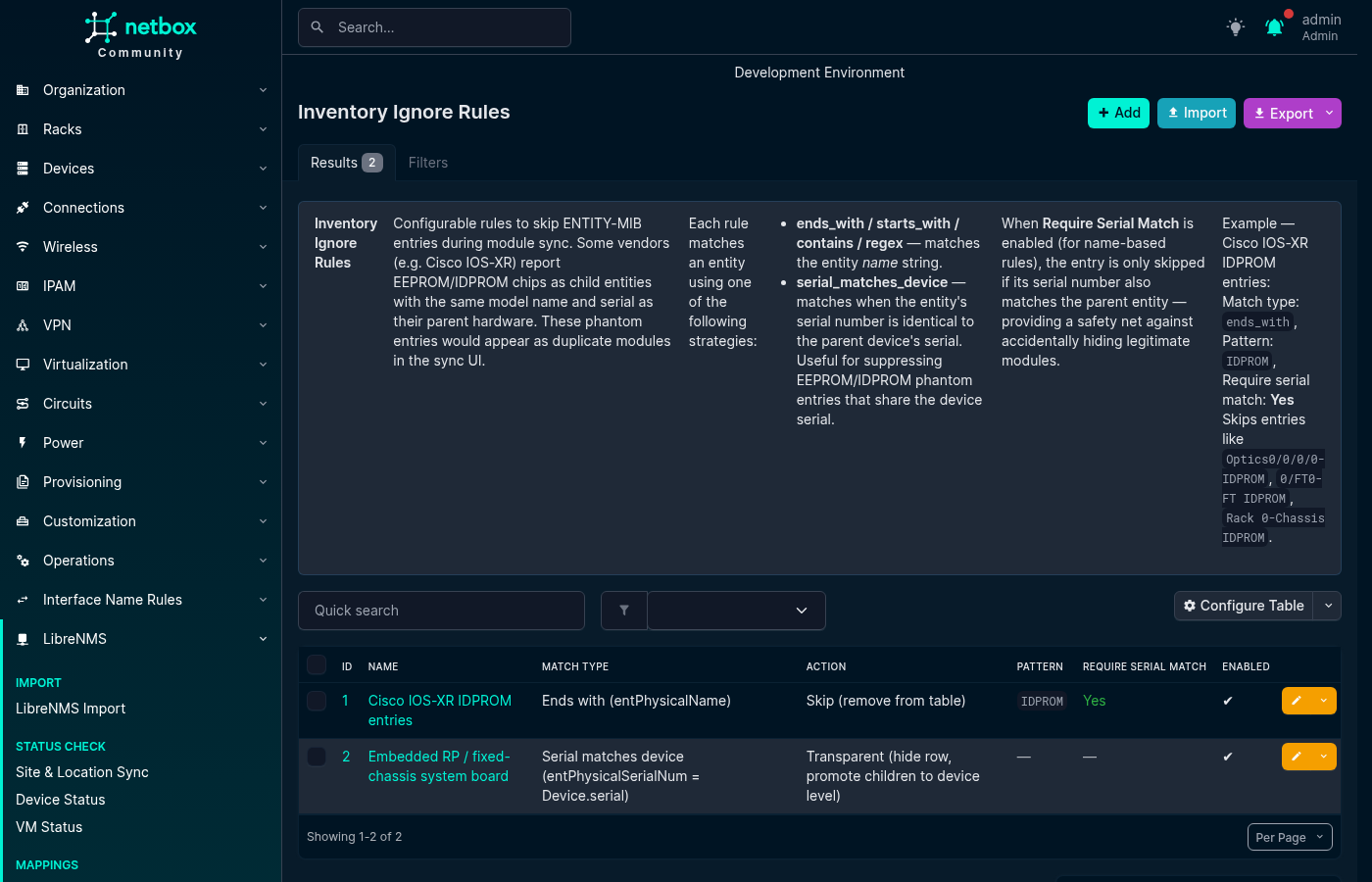
Filter or reclassify specific ENTITY-MIB inventory items that would otherwise appear as spurious rows in the Module Sync table.
Actions: - Skip — removes the matched item from the sync table entirely. Use for phantom EEPROM/IDPROM child entities that some vendors (Cisco IOS-XR) report with the same model and serial as the parent. - Transparent — hides the row but promotes its children to device-level bay matching. Use for fixed-chassis devices (e.g. Cisco 8201-SYS) where the system board entity is the device itself and its children (transceivers, fans, PSUs) should be matched directly against device-level bays.
Match types:
- ends_with / starts_with / contains — compare entPhysicalName (case-insensitive)
- regex — Python regex against entPhysicalName
- serial_matches_device — matches when entPhysicalSerialNum equals the NetBox device's own serial (no pattern required)
The Require serial match parent option (recommended) adds a safety net: the name-based rule only fires when the item's serial number also matches an ancestor entity's serial.
YAML format:
- name: "Cisco IOS-XR IDPROM phantom"
  match_type: ends_with
  pattern: "IDPROM"
  action: skip
  require_serial_match_parent: true
  enabled: true
  description: "Remove IDPROM phantoms from Cisco IOS-XR inventory"
Screenshot:
Carrier Auto-Install Rules
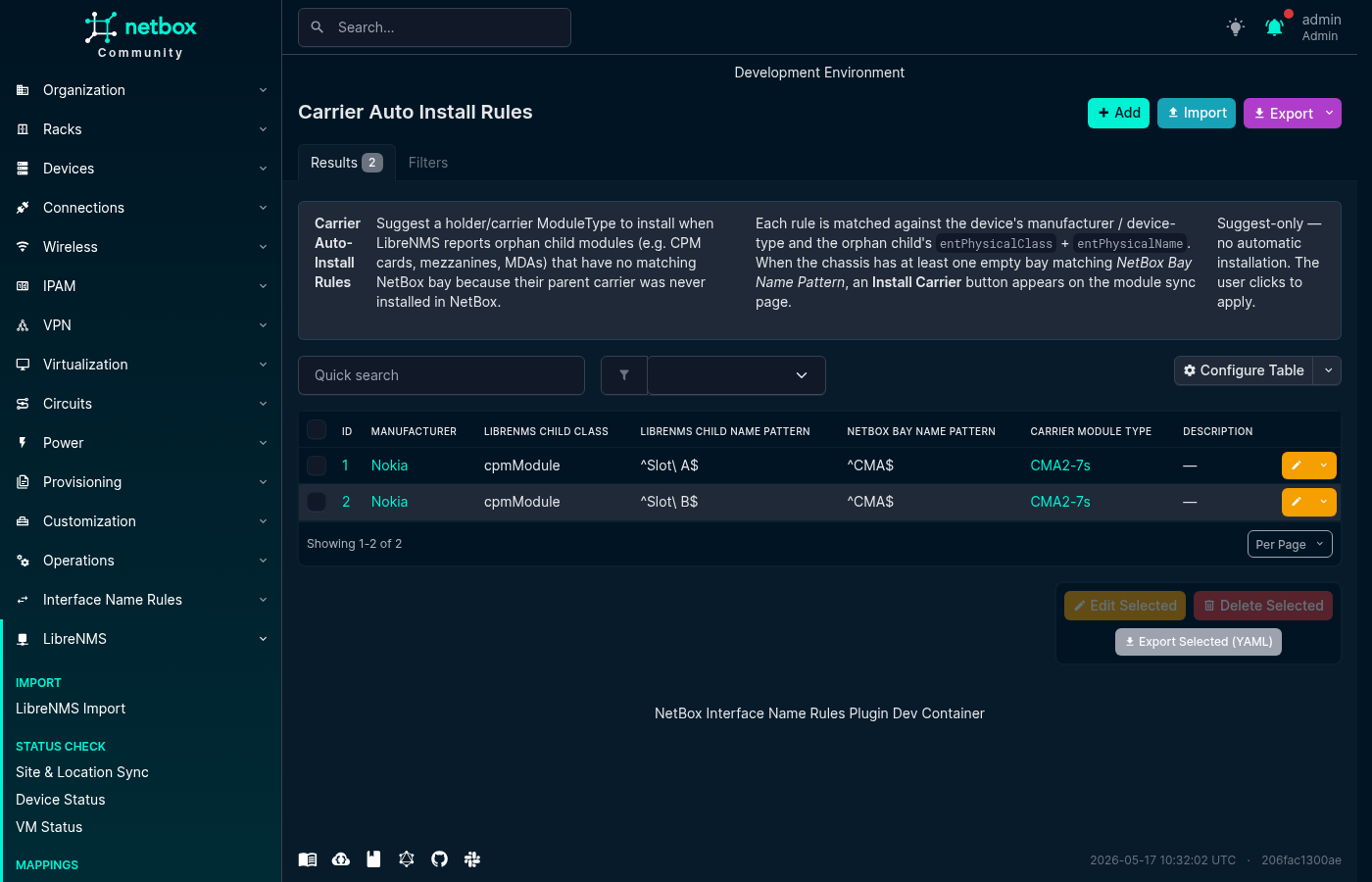
Some chassis report child components (CPMs, MDAs, mezzanines) without the intermediate carrier/holder module that must first exist in NetBox for those children to have a bay to live in. A Carrier Auto-Install Rule tells the plugin: "for this manufacturer / device type, when you see an orphan component of this class and name pattern, suggest installing this ModuleType into the matching empty bay."
Rules are suggest-only — no module is installed automatically. The user clicks an Install Carrier button that appears in the Module Sync table when a rule fires.
Fields:
- manufacturer — optional; scope to one vendor
- device_type_pattern — optional regex (fullmatch) on DeviceType model name
- librenms_child_class — exact entPhysicalClass of the orphan (e.g. cpmModule)
- librenms_child_name_pattern — regex (fullmatch) on the orphan's entPhysicalName
- netbox_bay_name_pattern — regex (fullmatch) on empty chassis-level bay name(s) to offer as install targets
- carrier_module_type — the ModuleType to suggest installing
YAML format:
- manufacturer: Nokia
  device_type_pattern: ".*SR-s.*"
  librenms_child_class: cpmModule
  librenms_child_name_pattern: "^Slot [AB]$"
  netbox_bay_name_pattern: "^CMA$"
  carrier_module_type: "Nokia CMA Carrier"
  description: "Nokia 7750 SR-s CMA carrier suggestion"
Screenshot:
Bulk Import / Export
All mapping types support NetBox's standard bulk YAML import. Click the Import button next to any mapping list. You can also export existing mappings as YAML for backup or cross-environment migration using the Export action on the list page.
Pre-built example rules for common vendor patterns are available in contrib/ in the plugin repository. Pull requests with additional examples or corrections are welcome.